SafeFolder
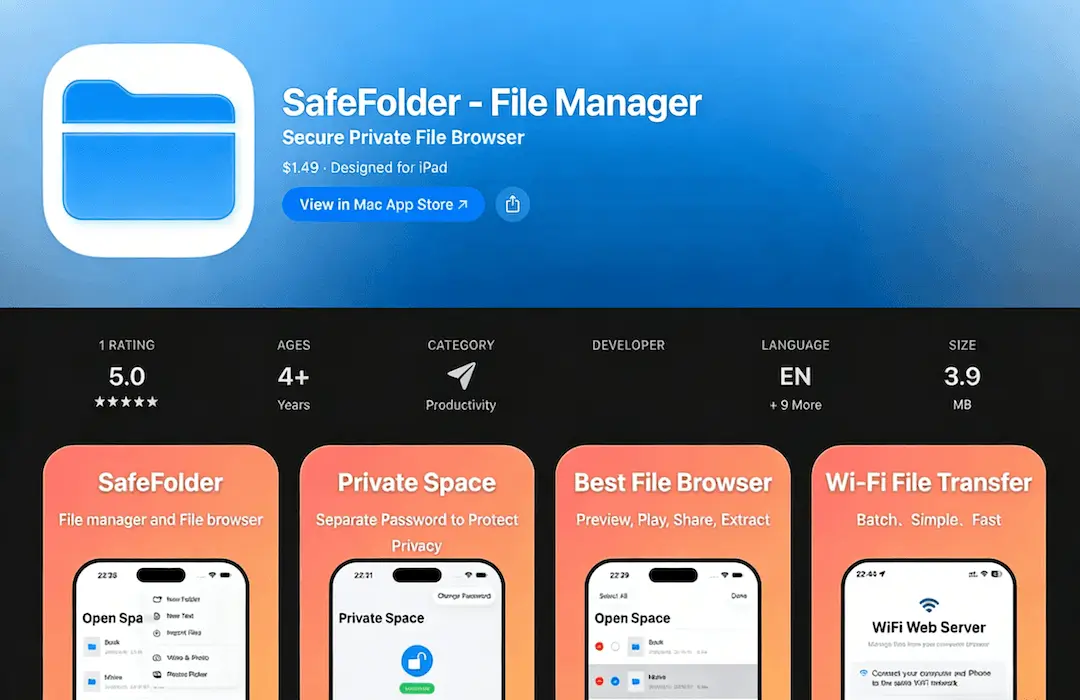
Turn your iPhone into a portable folder, and it's also an all-round file manager and file browser.
Main Features
Powerful File Manager
Store various documents, images, audio, videos and other files in the App. Supports file sharing, moving, copying, pasting, encrypted compression, decompression, etc.
Private Space Protection
To enter Private Space, you must verify an independent access password to ensure that private files are not seen by others.
WiFi File Management
Connect your iPhone to a WiFi hotspot, open "WiFi File Browser", and you can upload, download, edit, delete and perform other operations on files in the computer browser.
Document Preview & Media Playback
Supports preview and viewing of various formats of documents such as word, ppt, pdf, etc., and supports audio and video playback.
File Compression
Supports file decompression, and you can set an independent password for each compressed file to ensure file security.
Privacy and Security
The App does not need to interact with the server, and all files are securely stored in the local App.
Why Choose SafeFolder
A secure and efficient file management solution that combines functionality, privacy, and ease of use.
Local Storage
All files are stored locally on your device, ensuring complete privacy and security.
Secure Private Space
Independent password protection for your most sensitive files and documents.
WiFi File Transfer
Easily transfer files between your iPhone and computer without cables.
Multiple Format Support
Preview documents, play media files, and compress/decompress various file formats.
Ready to Manage Your Files?
Download SafeFolder now and start organizing your files securely.
Scan to download
Usage Help
How to Import and Export Files?
Ensure your phone and computer are connected to the same WiFi hotspot; open "WiFi File Browser", and you can upload, download, edit, delete and perform other operations on files in the computer browser.
What If I Forget My Private Folder Password?
Please contact official customer service.
Privacy Policy
SafeFolder will request permissions for your device's microphone, photo album, camera, etc. when you add photos, record videos, etc. The user privacy information obtained using these permissions is only stored in the app and will not be reported to the server, which means we do not collect any user privacy information. The third-party SDK (Umeng Analytics) used by SafeFolder collects device ID and other information for basic app statistical analysis. We will adopt strict security systems and industry-standard security technologies and procedures to ensure that your information is not lost, leaked, damaged, or misused.